A short recap for every lesson.
After each lesson, a short recap: what you covered and where the student stands. Every lesson stays in the history.

Organize your teaching in one workspace. Relentu brings the tools of a lesson together: a video classroom, boards, scheduling, lesson plans, notes, and a private space for every participant.
After each lesson, a short recap: what you covered and where the student stands. Every lesson stays in the history.
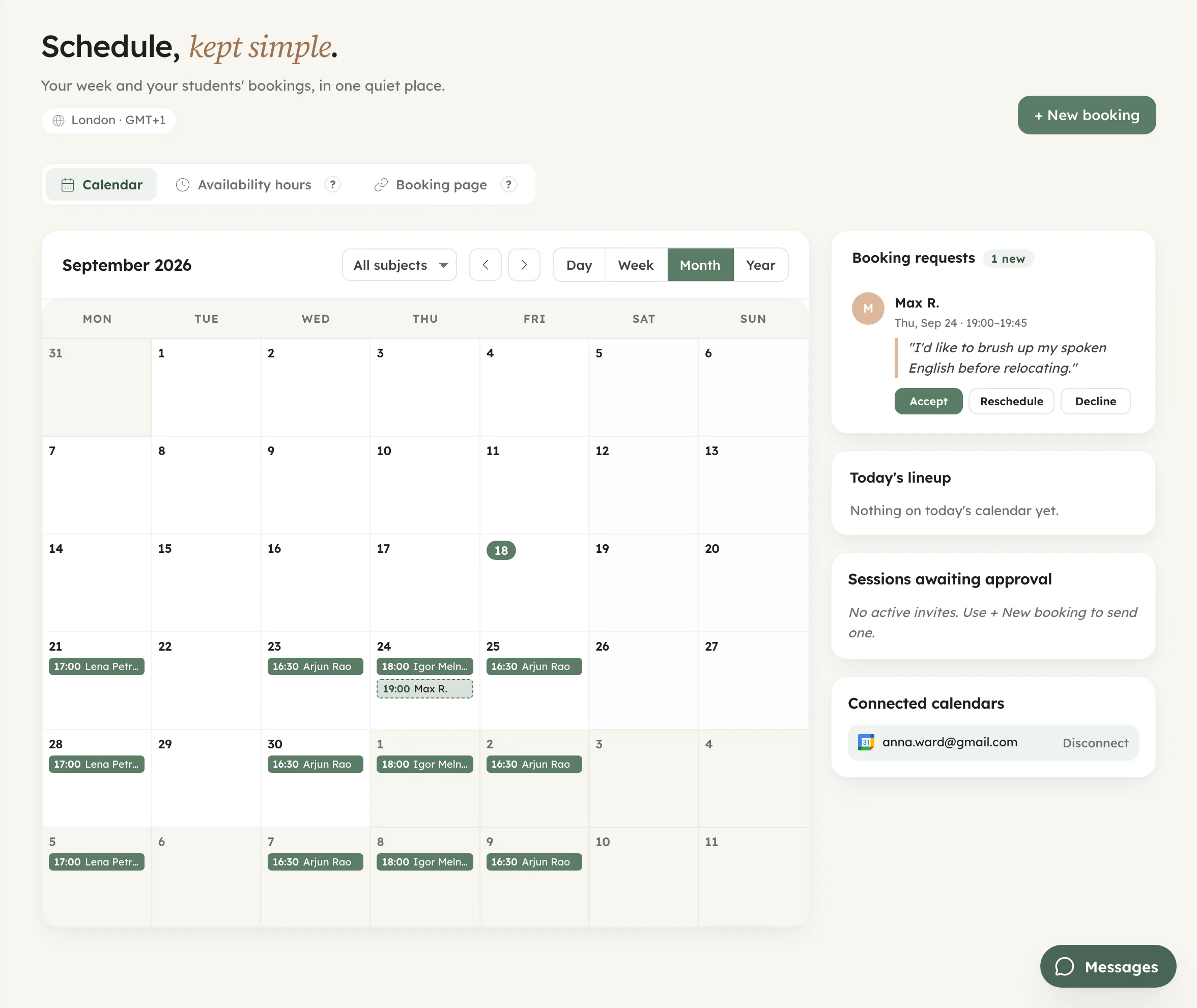
Students see only the free slots in your schedule, and reminders are sent automatically. Your timetable and your students' lessons can be added to your own calendar.
Lessons, notes, files and history: one private record per student, there whenever you need it.

Hours, retention and student progress at a glance. The numbers you would otherwise keep in a spreadsheet, kept for you.

Built for teachers who want to spend their time teaching, not on admin. The routine runs itself, and the time comes back to you.

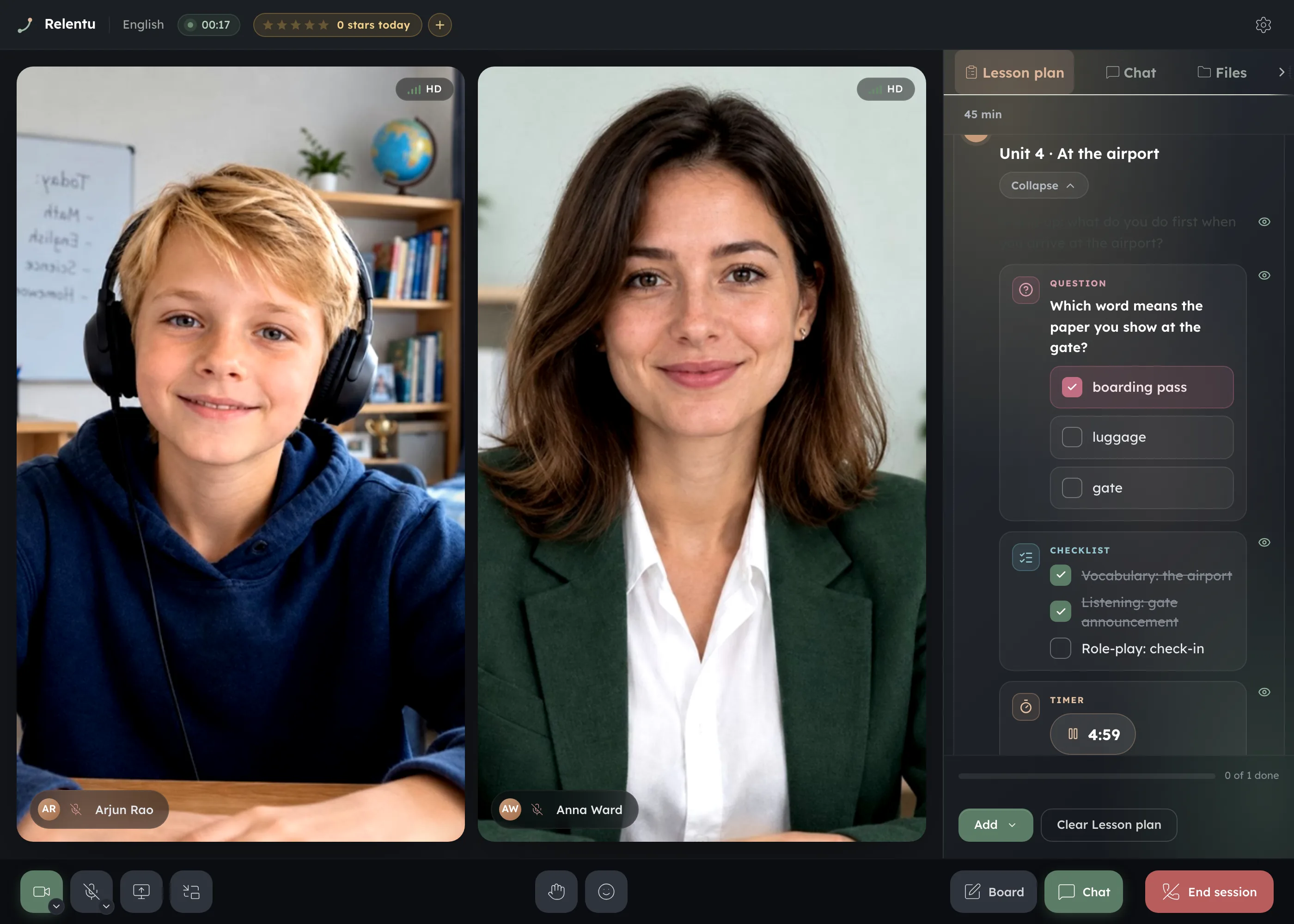
Your own video classroom in the browser: no third-party links and no second window. The lesson plan and interactive cards sit beside the video, and students work with you in real time.
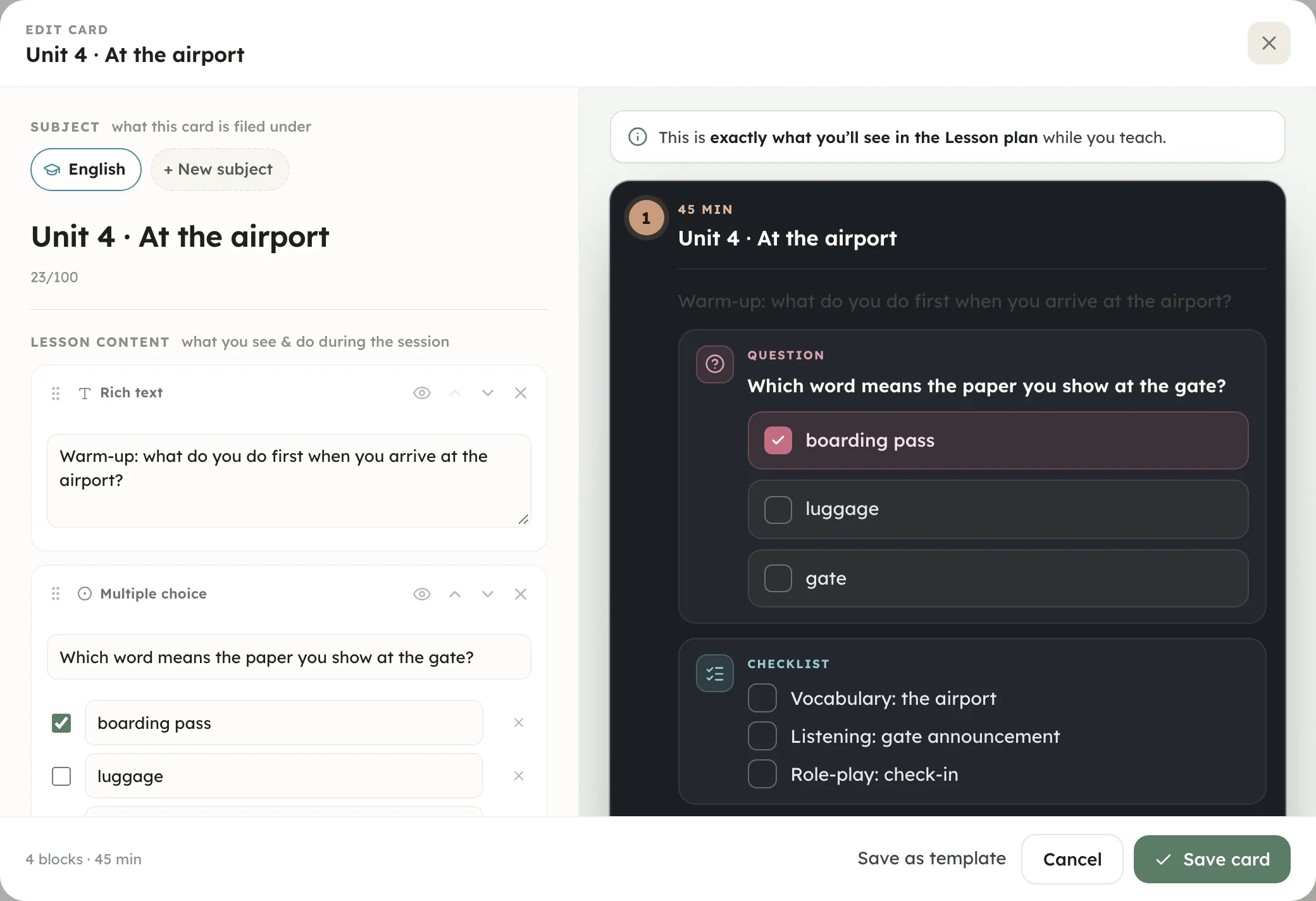
Build cards from your materials and follow the plan step by step without leaving the room. Whatever you tick on a card is saved to the recap.
Students raise a hand or send a reaction; you award stars for effort, up to five per lesson.
Circle a word, underline a sum, point at the detail. Annotate straight on the shared screen.
Send your booking link or a direct invitation. Nothing to install, nothing to set up. Ideal for trial lessons.
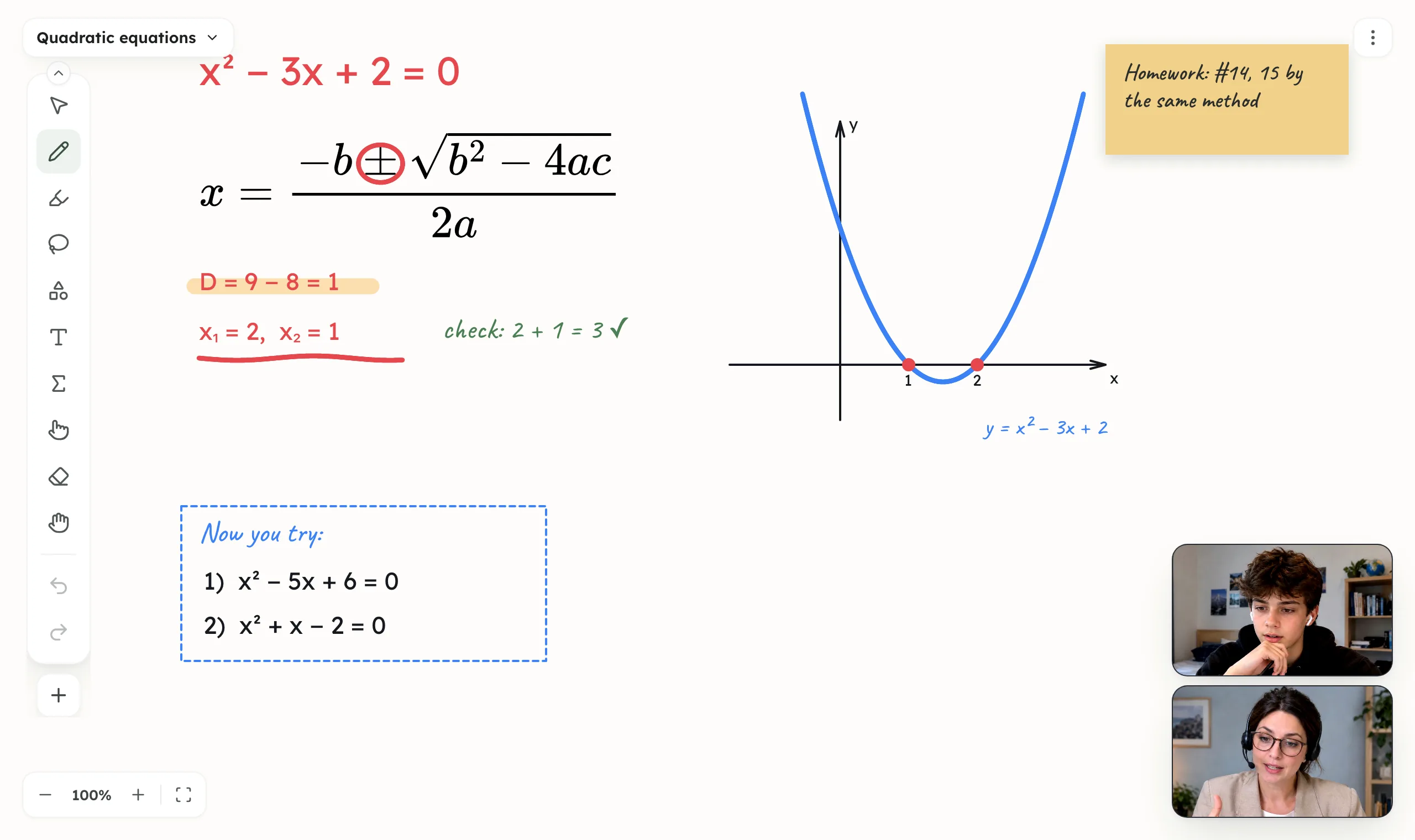
Draw, solve problems, keep notebooks and check work on a shared board. It opens inside the classroom and remains in the student's space after the lesson.
Squared, ruled or slanted sheets, single or bound into a notebook.
Type formulas of any complexity on the keyboard and get clean mathematical notation.
Scan a QR code to open the board on an iPad or Android tablet and write with a pen. Everything syncs in real time.
Material lives on the lesson board, in homework and in your library. Make a copy for each student from any of them.
Video lessons, booking, calendar, materials, a student list and reminders in one window. Built with teachers, for teaching.
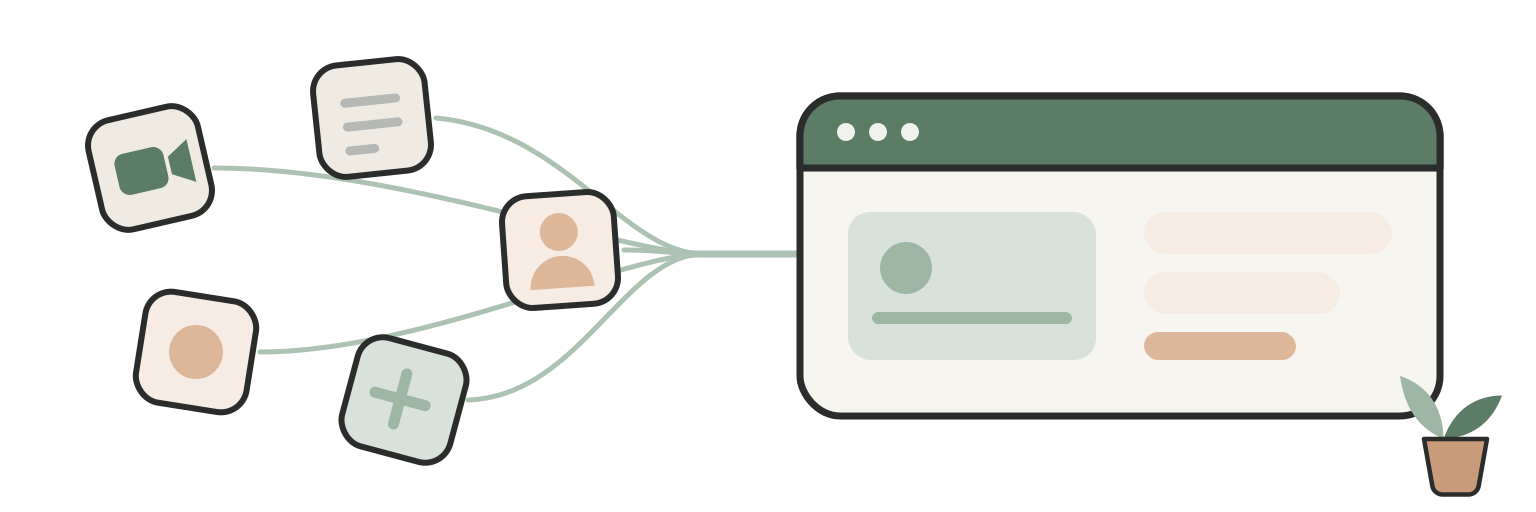
Set your working hours and Relentu builds the calendar around them. Share your booking link or invite students directly; either way they see only the times you have opened. One page instead of several calendars and timetables.
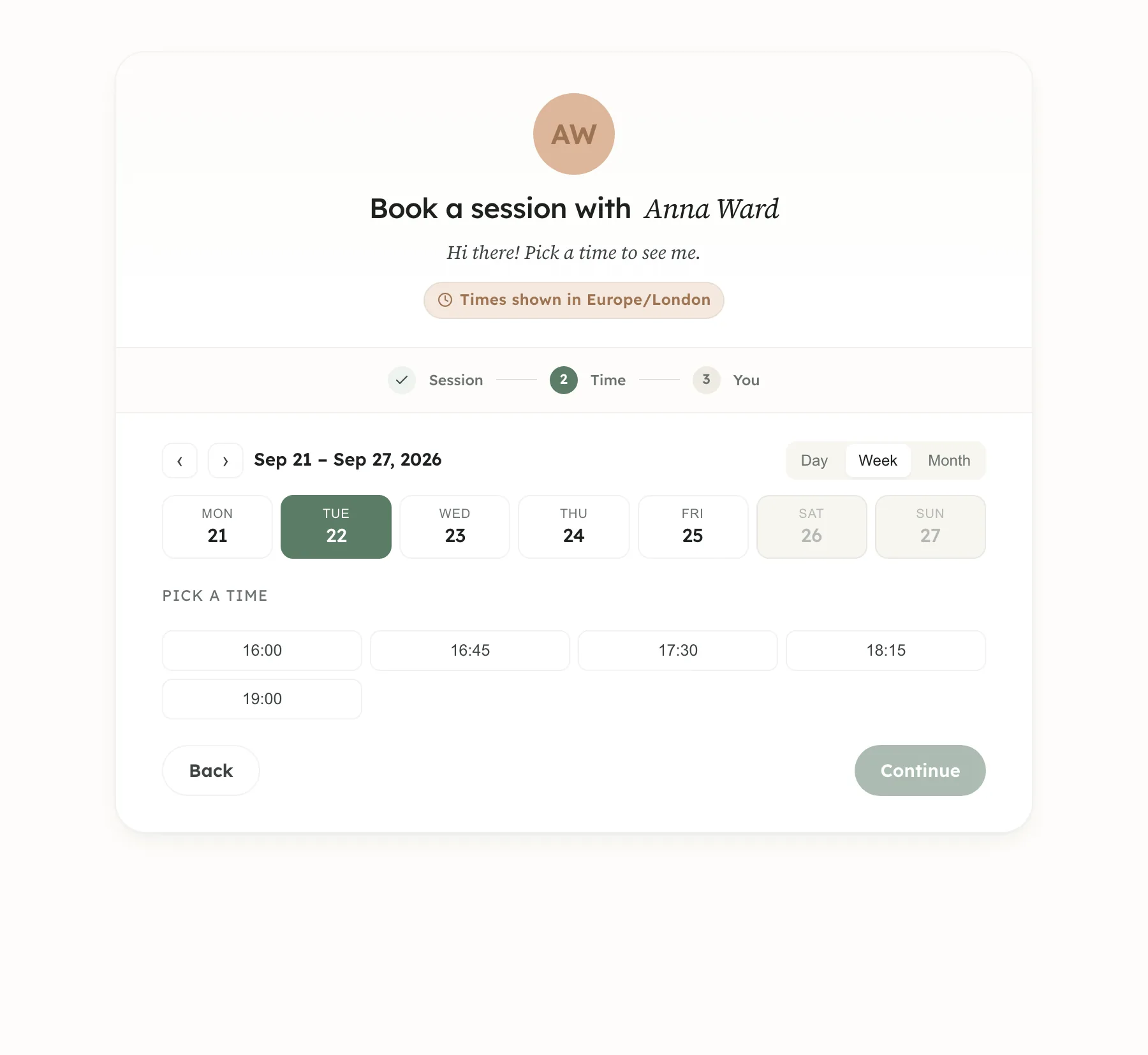
Post it in chats, in your bio or on other platforms. Students see your open slots and pick one.
A student enters an email and picks a time. No sign-up, and the lesson can be added to their own calendar as a reminder.
A request becomes a lesson only when you accept it. Everyone sees their own local time, and reminders are sent automatically.
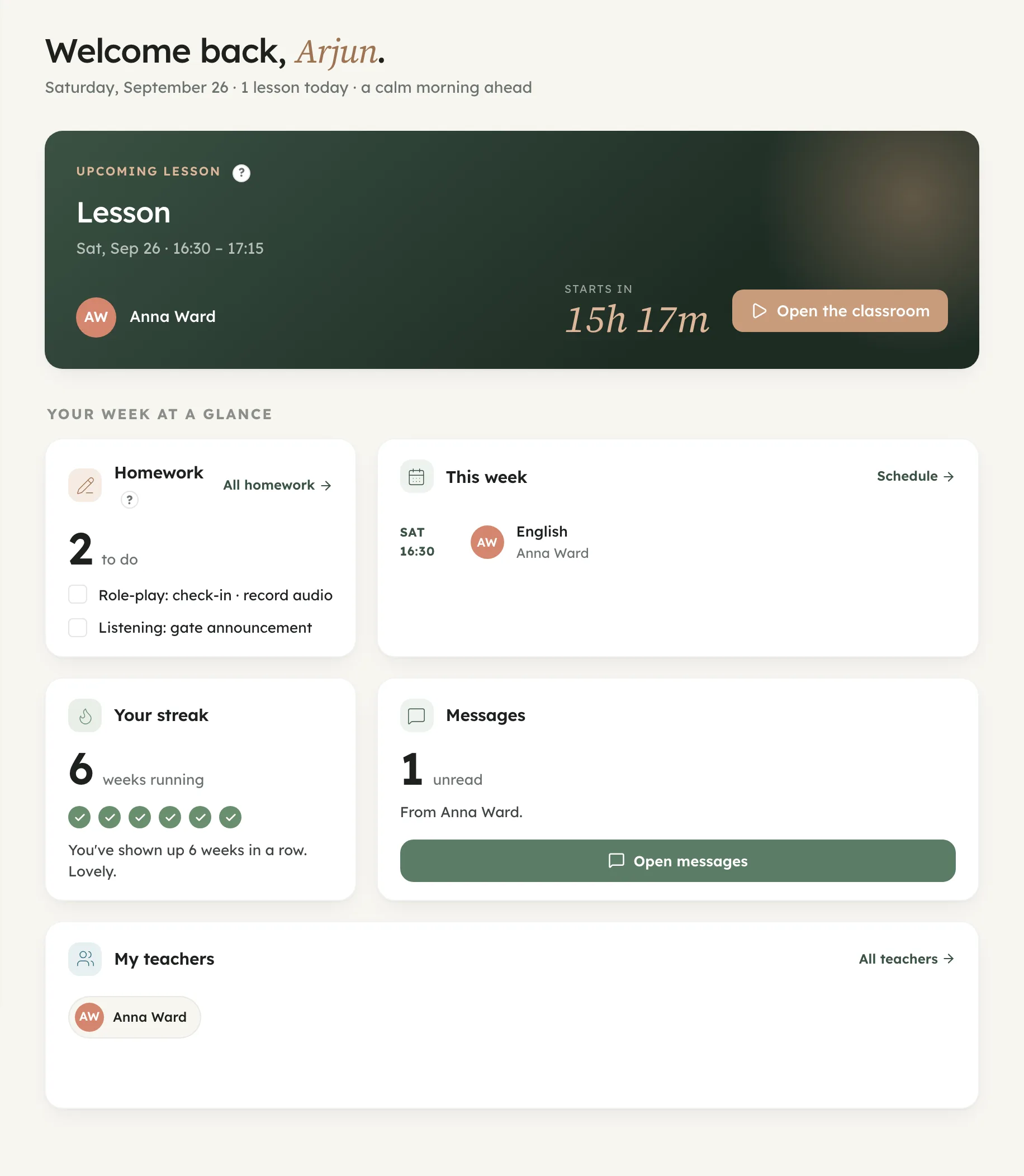
Messages with their teacher, homework to do and work through together, the teacher's schedule with booking, lesson history and progress: all in one app. A teacher invites them in, and the space is not public.
The next lesson, and the ones after it, are always on the home screen.
Chat and lessons in one app, with no need to share phone numbers or messenger contacts.
What they’ve covered and what’s next, phrased as encouragement, never as a grade book.
Every file you share, from your cloud drive or mid-lesson, and every past lesson with its recap.
Built for teachers and tutors who would rather spend their time teaching than on admin. Relentu takes on scheduling, reminders, records and the rest of the routine.
No seats to buy and nothing to set up. Create an account and start teaching.
Kids, teens or adults, from reading to guitar to exam prep. You choose your subjects.
No charges per student, per hour or per file. One subscription covers all your teaching.
Set the hours you teach. Relentu turns them into your booking page, and you can change them at any time.
Book a lesson in your own calendar, or send your link and let the student choose from your open hours.
Open the classroom and teach. A short recap is saved to the lesson history on its own.
Connect Google Calendar and your lessons sync both ways. Share materials from Google Drive without leaving the app.
Everything in Free, plus:
Not necessarily. Invite a student by email or send them your booking link. If they want a space of their own, with messages, materials, homework and lesson history, they can create a full account for free.
Your data is stored in the EU and handled under the GDPR. Student files, notes and recaps are visible only to you and the people you share them with. Our data processing agreement and the full list of sub-processors are published, not available on request: both are linked at the foot of this page.
Yes. Connect Google Calendar and your lessons appear there; share materials straight from your cloud drive, where the files stay yours.
Your account returns to the Free plan and nothing is deleted. Students, notes, recaps and files stay where they are and remain readable. Pro features become unavailable until you subscribe again.
Yes. The interactive whiteboard is built into the classroom and stays with the student after the lesson. It has squared, ruled and slanted sheets that bind into notebooks, formulas typed from the keyboard, and pen or stylus drawing. Open it on an iPad or Android tablet by QR code, and copy any material for each student in a couple of clicks.
Relentu is a workspace for tutors and teachers who teach online: a video classroom, an interactive whiteboard, scheduling and lesson booking in one place. Lesson cards run interactively during the lesson, notes and recaps stay with each student, and a compact set of stats shows how your teaching is going. We built it from our own experience of teaching online, and it grows with what teachers tell us.
Still have questions? Email us, we answer every message.
Set your hours, invite your students and run your first lesson. 12 hours a month free, no card required.
Start free · 12 hours a monthGDPR EU

 GDPR EU