Skip to content

Interactive whiteboards for collaborative lessons

Plan lessons, work together with your students and bring ideas to life

Video call right on the board

Run the lesson and talk in one window. Your plan, cards and video call are already at hand, with no switching tabs or starting a screen share.

Work Check AI

Select the student’s solution and press the check button. AI marks the mistakes, shows the correct answer and suggests which topics to review.

The result appears on the board and is saved to your account automatically.

200 work checks a month on the Pro plan.

Learn more

Formulas and notebooks

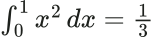
Write formulas and solve problems right on the board.

Gather sheets by topic into notebooks for lessons, homework and notes.

Hidden answers under a curtain

Hide the correct answers and reveal them during the lesson yourself, or let your student do it.

Focus on what matters

Highlight parts of the board with the laser pointer to lead the way as you explain. Press “Look here” to instantly draw the other person’s eyes to the right spot.

The board opens by link

Send the link and start the lesson. Your student needs no account, and editing rights change with one click during the lesson.

Working from a tablet

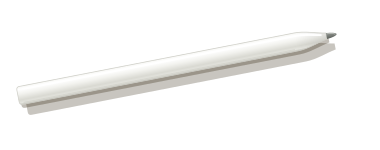
Draw with your finger or a stylus on iPad and Android. The line responds to pressure, and in Pen only mode, stray palm touches don’t get in the way.

Scan the QR code to open the board on a tablet and work from two devices at once.

A wide range of options for your lessons

Formulas

Type expressions in math, physics and chemistry and leave explanations next to them.

World maps

Add a map to the board, circle the points you need and add notes.

Tasks from your library

Search for tasks in your own textbooks and move the ones you need onto the board in one click.

Board versions and copies

Go back to earlier versions, make copies for your students and move the items you need between boards in a couple of clicks.

Common questions

Yes, you can use the whiteboard for free. Without an account you get a temporary board kept for 15 days, and on the Free plan you can create and keep up to three boards.

Still have questions? help@relentu.com Email us

Try the board in action

Run the lesson, talk on video and check tasks with AI in one window.

Open the board